


Scanning Business Cards With the Swishle App
Even as digital networking becomes more common, paper business cards are still exchanged every day. The real challenge isn’t receiving them. It’s what happens afterward.
Manually entering contact details takes time, introduces mistakes, and often never gets done. This is one of the reasons paper business cards don’t work well in a digital-first world.
Scanning business cards with AI removes that friction and turns paper cards into usable digital contacts in seconds.
The Problem With Manual Contact Entry
After events or meetings, people often leave with a stack of business cards and good intentions.
In practice:
- Cards sit in pockets, bags, or desk drawers
- Details are typed incorrectly or not at all
- Follow-ups get delayed or forgotten
The more cards you collect, the more likely valuable contacts are lost.
Before and After Scanning Business Cards
Before scanning:
- Paper cards pile up after meetings
- Contacts are saved inconsistently
- Follow-ups rely on memory
After scanning:
- Every card becomes a searchable contact
- Details are captured accurately
- Follow-ups happen faster and more reliably
This shift alone changes how effectively you manage new connections.
How Business Card Scanning Works
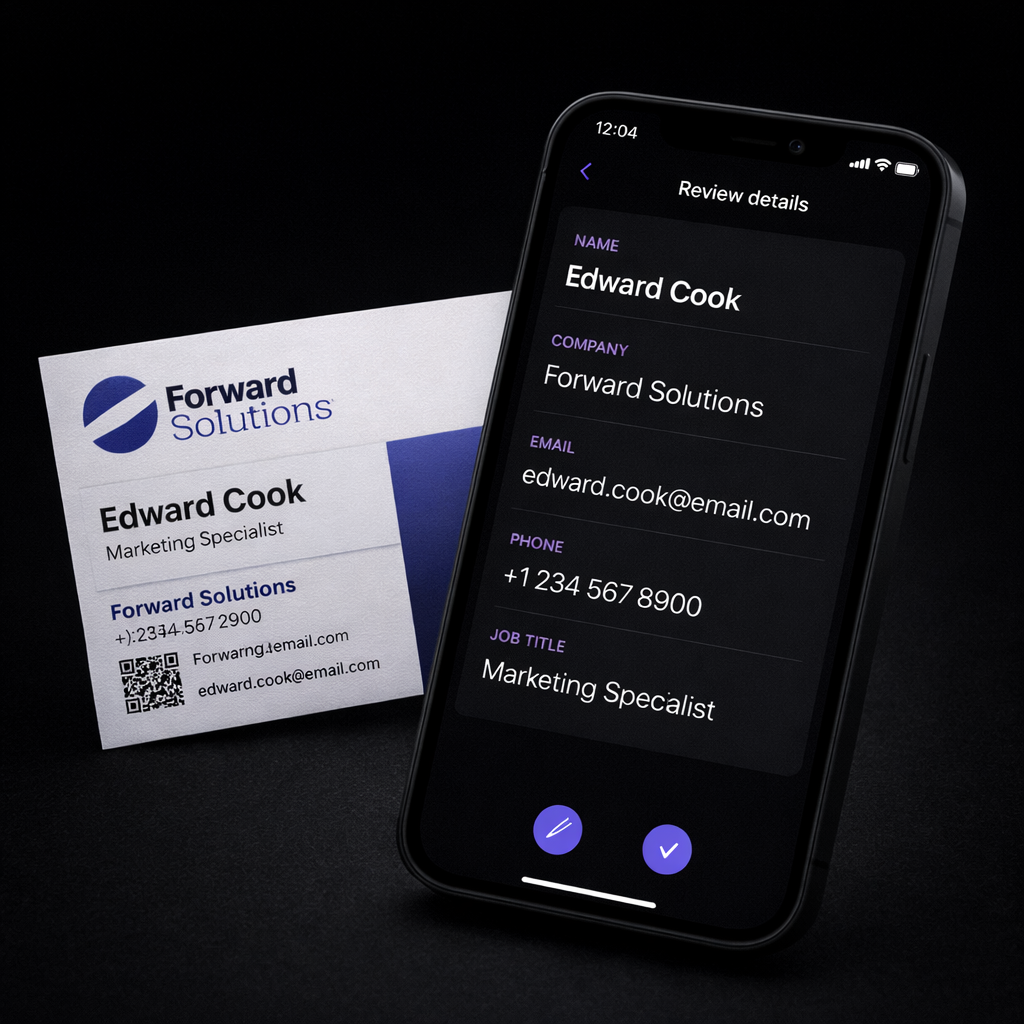
Scanning business cards uses AI to read and extract information directly from a photo of the card.
The process is simple:
- Take a photo of the business card
- AI detects names, phone numbers, emails, and company details
- The information is converted into a structured digital contact
What once took minutes per card now takes seconds.
Once digitized, these contacts can live alongside your digital business card profile, making it easier to manage all your connections in one place.
From Paper Card to Digital Contact
Once scanned, contacts don’t remain as images.
They can be:
- Saved into your digital contact list
- Added directly to your phone’s contacts
- Exported as a CSV file for spreadsheets or other systems
This turns one-time exchanges into organized, reusable contact data. For many people, scanned contacts become part of the same workflow as a digital business card they actively share.
Why AI Scanning Makes a Difference
AI-powered scanning improves both speed and accuracy compared to manual entry.
Key benefits include:
- Fewer typing errors
- Faster follow-up after meetings
- Centralized contact organization
- Easy exporting and reuse
Scanning becomes especially valuable after events where you meet many people in a short time. Instead of spending hours entering details later, contacts are captured while conversations are still fresh.
Who Benefits Most From Scanning Business Cards
This feature is especially useful for:
- Event attendees capturing many contacts quickly
- Sales teams organizing leads after meetings
- Recruiters tracking candidates they meet in person
- Founders and small teams managing contacts without a CRM
Many professionals also pair scanning with quick sharing options like wallet-based digital business cards to cover both incoming and outgoing contact exchanges.
Frequently Asked Questions
How accurate is AI business card scanning?
Modern AI scanning is highly accurate for most standard business cards, especially for names, phone numbers, and email addresses.
Can scanned contacts be saved to my phone?
Yes. Scanned business cards can be converted into contacts and saved directly on your phone.
Can scanned contacts be exported?
Yes. Contacts can be exported as CSV files for use in spreadsheets or other systems.
Can scanned business cards be edited after saving?
Yes. Once scanned, contact details can be reviewed and adjusted before saving.
Is business card scanning useful without a CRM?
Yes. Scanned contacts can be saved to your phone or exported, making them useful even without additional tools.
Final Thoughts
Paper business cards don’t have to slow you down. By scanning them into digital contacts, you can move from a one-time exchange to an organized, searchable contact list that’s easy to follow up on.
AI-powered scanning bridges the gap between traditional networking and modern digital workflows.
Next article: Why Paper Business Cards Don’t Work in a Digital-First World